This Cost a Founder $4,800 in 24 Hours
Real story: A founder built a ChatGPT wrapper with Cursor and launched on Product Hunt. By the end of day one, they had 2,000 users. Success, right?
Wrong. Day two, they woke up to a $4,800 OpenAI bill. Someone had grabbed their API key straight from the browser, posted it on Discord, and hundreds of people were using it like a free buffet.
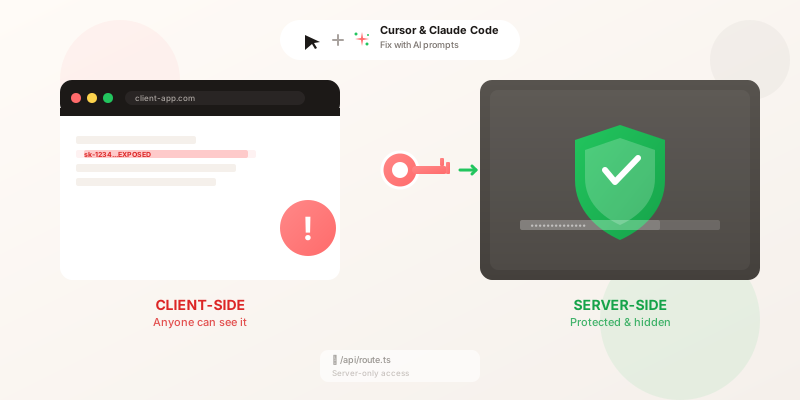
The API key was sitting in the frontend JavaScript—visible to anyone who pressed F12.
You might have the same issue right now. Let's check together.
Warning
Take 30 seconds right now:
- Open your app in Chrome
- Press F12
- Go to Network tab
- If you see "sk-..." anywhere, you're at risk
Don't worry—this guide will fix it in 20 minutes.
What You'll Get From This Guide
In 20-30 minutes, you'll:
- ✅ Find every exposed API key in your app (even ones you didn't know about)
- ✅ Fix them using copy-paste prompts for your AI assistant
- ✅ Protect your app from $1,000+ unauthorized billing nightmares
- ✅ Sleep better knowing hackers can't drain your OpenAI/Stripe accounts
Technical level: Non-technical friendly (if you built it with Cursor, you can do this) Works with: Any AI coding assistant (Cursor, Claude Code, Windsurf, Copilot) Risk level: 🔴 Critical—this is the #1 issue we see in vibe-coded apps
Good to know
Not sure if your app is at risk? Scan your app for free →
HackNope checks for exposed API keys + 50 other vulnerabilities in 60 seconds. Plain English report, no security jargon.
Why Cursor and Claude Code Expose API Keys (And How to Prevent It)
Here's the thing about AI coding tools. They're trained on millions of code examples from the internet, including tons of tutorials where developers hardcoded API keys because "we'll fix it later."
Spoiler: Later never happened. And now your AI assistant thinks that's how you're supposed to do it.
Common patterns AI suggests that are INSECURE:
// ❌ INSECURE: Hardcoded in source code
const openai = new OpenAI({
  apiKey: "sk-1234567890abcdef",
});

// ❌ INSECURE: Environment variable in frontend
const apiKey = process.env.NEXT_PUBLIC_OPENAI_KEY;

// ❌ INSECURE: Imported from config file
import { STRIPE_SECRET_KEY } from "./config";
All of these expose your key to anyone who can view your JavaScript bundle.
Why this is dangerous: Everything in your frontend is public. Minifying your code doesn't hide secrets. Obfuscation doesn't hide secrets. If a browser can read it, a hacker can read it. Full stop.
Secure vs. Insecure: Side-by-Side
| Approach | Security | Cost Risk | Easy to Code? |
|---|---|---|---|
| 🔴 Hardcoded in frontend | ❌ Exposed | $$$$$ | ✅ Easy (AI suggests this) |
| 🔴 Environment variable in frontend | ❌ Still exposed | $$$$$ | ✅ Easy |
| 🟢 Environment variable + server route | ✅ Secure | $ | 🟡 Moderate (this guide) |
| 🟢 Environment variable + server route + rate limiting | ✅ Very secure | $ | 🟡 Moderate (this guide) |
TL;DR: If your API key touches frontend code in any way, it's exposed. Period.
Good to know
You're not alone: 67% of apps built with AI coding assistants have at least one exposed API key (HackNope data from 1,200+ scans). This isn't your fault—it's a side effect of how these tools learn.
Step 1: Scan Your Code for Exposed API Keys (Cursor/Claude Code)
Before fixing, you need to know what's exposed.
Check Your Browser (2 minutes)
- Open your app in Chrome/Firefox
- Press F12 (open DevTools)
- Go to Network tab
- Reload the page
- Look for API calls (filter by "Fetch/XHR")
- Click on requests and check:
- Headers - look for
Authorization: Bearer sk-...orX-API-Key: ... - URL - look for
?key=sk-...or similar patterns
- Headers - look for
If you see API keys here, they're exposed.
Check Your Code (5 minutes)
Good to know
AI Fix Prompt #1: Scan for Exposed Keys
Copy this into Cursor or Claude Code:
Search my entire codebase for API keys, tokens, and secrets that are hardcoded or used in frontend code. List every instance with file path and line number.

Check for these patterns:
1. Hardcoded strings starting with: 'sk-', 'pk_', 'Bearer ', 'key-', 'secret-'
2. Variables named: apiKey, API_KEY, secretKey, token, authToken
3. Environment variables prefixed with NEXT_PUBLIC_, VITE_, REACT_APP_
4. Import statements from config files that might contain secrets
5. Any strings that look like API keys (long alphanumeric sequences)

For each finding, tell me:
- File path and line number
- Type of secret (OpenAI, Stripe, AWS, etc.)
- Whether it's used in client-side or server-side code
- Severity (critical if in frontend, low if server-only)

Then show me the top 3 most critical issues to fix first.
This prompt will help your AI assistant find every potential key exposure.
What to look for in results:
- ✅ Keys in
/api/routes or server-side files → OK (if properly protected) - 🔴 Keys in
/components/,/pages/, or frontend code → CRITICAL - 🔴 Keys with
NEXT_PUBLIC_orVITE_prefix → CRITICAL (these are exposed to browser)
Step 2: Move Keys to Environment Variables
Environment variables keep secrets out of your source code.
Create .env.local File
In your project root, create .env.local:
# .env.local
OPENAI_API_KEY=sk-your-actual-key-here
STRIPE_SECRET_KEY=sk_test_your-stripe-key
SUPABASE_SERVICE_KEY=your-supabase-service-key
Important naming:
- ❌ Don't use
NEXT_PUBLIC_orVITE_prefix (these expose to frontend) - ✅ Use plain names like
OPENAI_API_KEY(server-side only)
Add to .gitignore
Make sure .env.local is NEVER committed to git:
# .gitignore
.env.local
.env*.local
Check if it's already ignored:
git status
# .env.local should NOT appear in untracked files
Heads up
Already committed secrets? If you accidentally committed API keys to git, they're in your git history forever. You must:
- Rotate (regenerate) the exposed keys immediately
- Use
git filter-branchor BFG Repo-Cleaner to remove from history - Force push (if it's your own repo)
Deleting the file in a new commit doesn't remove it from git history.
Step 3: Create a "Secret Keeper" for Your API Keys
Instead of your frontend calling OpenAI directly (and exposing your key), we'll create a middleman—a server-side route that keeps your key hidden.
Why Server-Side Routes Matter
Think of it like this:
Bad setup (direct to OpenAI): Your frontend → OpenAI (with your key visible in the browser)
Good setup (through your API): Your frontend → Your server → OpenAI (key stays on server, browser never sees it)
The browser never knows your OpenAI key exists. It just talks to your API, which then talks to OpenAI on your behalf.
Think of it like a bouncer:
- Your frontend asks the bouncer to talk to OpenAI
- The bouncer has the secret key (not your frontend)
- The bouncer passes the response back to your frontend
Flow: Frontend → Your Server (has the key) → OpenAI
Good to know
AI Fix Prompt #2: Create Server-Side API Route
Copy this into Cursor or Claude Code:
I need to move my OpenAI API calls from the frontend to a secure server-side API route.

Current code (INSECURE - client-side):
[Paste your current frontend code here]

Create a new API route at `/api/chat` that:
1. Accepts POST requests with { message: string, conversationHistory?: array }
2. Validates the request body
3. Uses OPENAI_API_KEY from environment variables (NOT exposed to client)
4. Calls OpenAI API with streaming support
5. Implements rate limiting (10 requests per minute per IP)
6. Returns the response to the frontend
7. Includes proper error handling with user-friendly messages

Then update my frontend component to call this new API route instead of calling OpenAI directly.

Framework: [Next.js/Express/FastAPI/etc.]
Example: Next.js API Route
Create /app/api/chat/route.ts:
import { OpenAI } from 'openai';
import { NextRequest, NextResponse } from 'next/server';

// ✅ SECURE: Key only exists on server
const openai = new OpenAI({
  apiKey: process.env.OPENAI_API_KEY,
});

export async function POST(req: NextRequest) {
  try {
    const { message } = await req.json();

    // Validate input
    if (!message || typeof message !== 'string') {
      return NextResponse.json(
        { error: 'Message is required' },
        { status: 400 }
      );
    }

    // Call OpenAI (key never exposed to client)
    const completion = await openai.chat.completions.create({
      model: 'gpt-4',
      messages: [{ role: 'user', content: message }],
    });

    return NextResponse.json({
      response: completion.choices[0].message.content,
    });
  } catch (error: any) {
    console.error('OpenAI API error:', error);
    return NextResponse.json(
      { error: 'Failed to process request' },
      { status: 500 }
    );
  }
}
Update your frontend component:
// ✅ SECURE: Frontend calls YOUR API, not OpenAI directly
async function sendMessage(message: string) {
  const response = await fetch('/api/chat', {
    method: 'POST',
    headers: { 'Content-Type': 'application/json' },
    body: JSON.stringify({ message }),
  });

  const data = await response.json();
  return data.response;
}
What changed:
- ❌ Before: Frontend → OpenAI (key exposed)
- ✅ After: Frontend → Your API → OpenAI (key hidden)
Why This Feels Complicated (But Isn't)
If you're feeling overwhelmed right now—that's normal. You shipped a working app without knowing what an "API route" is. That's the magic of AI coding tools.
But here's the thing: you don't need to understand how it works, you just need to know what to tell your AI assistant. That's what the prompts above do. Copy, paste, done.
Step 4: Set Environment Variables in Production
Development is secure. Now make sure production is too.
Vercel
- Go to your project → Settings → Environment Variables
- Add each key:
- Key:
OPENAI_API_KEY - Value:
sk-your-actual-key - Environments: Production, Preview (optional)
- Key:
- Redeploy your app
Netlify
- Site settings → Environment variables
- Add key-value pairs
- Redeploy
Railway / Render / Fly.io
Similar process: Settings → Environment Variables → Add
Pro tip
Pro tip: Use different API keys for development and production. If your dev key leaks, production isn't affected.
Feeling stuck? If these steps feel overwhelming, you can run a free HackNope scan first. We'll tell you exactly which API keys are exposed and where they are in your codebase. Then come back here with a clear roadmap.
Step 5: Add Rate Limiting to Prevent API Abuse
Even with server-side routes, you need rate limiting. Otherwise, someone could spam your API and still cost you money.
Why This Matters
Translation: This code checks how many times someone has used your API in the last minute. If they've hit the limit (10 requests), it says "slow down, try again in 1 minute."
Why this matters: Even with server-side API keys, someone could spam your API and cost you money. This stops them.
Good to know
AI Fix Prompt #3: Add Rate Limiting
Copy this into Cursor or Claude Code:
Add rate limiting to my API route at /api/chat to prevent abuse.

Requirements:
1. Limit: 10 requests per minute per IP address
2. Use Upstash Redis for rate limit storage (I already have @upstash/ratelimit installed)
3. Return 429 status code with clear error message when limit exceeded
4. Include rate limit headers in response (X-RateLimit-Limit, X-RateLimit-Remaining)
5. Log rate limit violations for monitoring

Show me:
1. The updated API route code with rate limiting
2. Environment variables I need to add
3. How to test the rate limiting locally

Framework: [Next.js/Express/etc.]
Example: Rate Limiting with Upstash
import { Ratelimit } from '@upstash/ratelimit';
import { Redis } from '@upstash/redis';

const redis = new Redis({
  url: process.env.UPSTASH_REDIS_URL!,
  token: process.env.UPSTASH_REDIS_TOKEN!,
});

const ratelimit = new Ratelimit({
  redis,
  limiter: Ratelimit.slidingWindow(10, '1 m'), // 10 requests per minute
});
What this does: This sets up a "sliding window" rate limiter. Basically, it tracks requests over a rolling 60-second period instead of resetting at fixed intervals. More accurate, harder to game.
export async function POST(req: NextRequest) {
  // Get client IP
  const ip = req.ip ?? req.headers.get('x-forwarded-for') ?? 'unknown';

  // Check rate limit
  const { success, limit, remaining } = await ratelimit.limit(ip);

  if (!success) {
    return NextResponse.json(
      { error: 'Rate limit exceeded. Try again in 1 minute.' },
      {
        status: 429,
        headers: {
          'X-RateLimit-Limit': limit.toString(),
          'X-RateLimit-Remaining': remaining.toString(),
        },
      }
    );
  }

  // Continue with your API logic...
}
Environment variables needed:
UPSTASH_REDIS_URL=https://your-redis-url.upstash.io
UPSTASH_REDIS_TOKEN=your-token-here
Get these free at upstash.com (10,000 requests/day free tier).
Step 6: Test Your Security
After implementing the fixes, verify everything is secure.
✅ Security Checklist
Run through this checklist:
1. Browser DevTools Test
- Open DevTools → Network tab
- Make an API request from your app
- Check request headers - NO API keys visible
- Check request URL - NO API keys in query parameters
- Check response - NO API keys in JSON responses
2. Source Code Inspection
- View page source (right-click → View Source)
- Search for "sk-" or "key" - should find NOTHING
- Check JavaScript bundles in DevTools → Sources tab - NO secrets
3. Environment Variables Test
console.log(process.env.OPENAI_API_KEY)in frontend code returnsundefined- Same in API route returns your actual key
.env.localis in.gitignore
4. Rate Limiting Test
- Make 11 rapid requests to your API
- 11th request should return 429 error
- Wait 1 minute, should work again
5. Production Test
- Deploy to production
- Verify environment variables are set in hosting dashboard
- Test API calls work in production
- Check browser DevTools in production - still no keys visible
Pro tip
All checked? You're secure! Your API keys are now protected and you've implemented best practices that prevent unauthorized usage.
Pro tip
✅ API keys secured. What else could be at risk?
You fixed the #1 vulnerability. But there are 50+ other security issues common in AI-built apps:
- Supabase RLS policies (database exposed)
- Missing authentication on API routes
- CORS misconfigurations
Get a full security report → (Free, no credit card)
Emergency Guide: What to Do If Your API Keys Are Already Exposed
If you've already deployed with exposed keys, act fast:
Immediate Actions (Do Now)
-
Rotate all exposed keys immediately:
- OpenAI: Dashboard → API Keys → Revoke old key → Create new
- Stripe: Dashboard → Developers → API Keys → Roll keys
- Any other service: Generate new keys, revoke old
-
Check usage/billing:
- Look for unauthorized usage spikes
- Check if spending limits are set
- Review recent API calls for suspicious activity
-
Scan GitHub (if you pushed code):
git log -p | grep -i "sk-"If found in history, keys are permanently exposed unless you rewrite history.
Next Steps
-
Implement all fixes above (environment variables, API routes, rate limiting)
-
Set up spending limits:
- OpenAI: Settings → Billing → Usage limits
- Stripe: Dashboard → Billing → Set alerts
- AWS: Budget alerts
-
Monitor for a week:
- Check daily for unusual usage
- Set up alerts for spending thresholds
Good to know
Prevention: After rotating keys, the old exposed keys are useless. But you must implement proper security (Steps 1-5) before deploying again, or you'll expose the new keys too.
AI Assistant-Specific Tips
Cursor
Secure by default: Cursor doesn't automatically share your code, but be careful with:
.cursorrulesfile - don't hardcode secrets here- Chat history - avoid pasting actual API keys in prompts
- Use the prompts above to have Cursor generate secure code patterns
Claude Code
Best practices:
- Claude Code CLI respects
.envfiles - Use the
--env-fileflag if you have multiple env files - Never paste actual API keys in conversations - use
OPENAI_API_KEY=<your-key>placeholders
GitHub Copilot
Watch out for:
- Copilot may suggest insecure patterns from training data
- Always review suggestions for hardcoded secrets
- Enable GitHub secret scanning in your repo settings
Windsurf / Other AI Tools
Same principles apply:
- Review all AI-generated code
- Use the AI fix prompts above
- Never commit secrets to git
Common Mistakes (That Make Sense Until You Think About Them)
"I'll fix it later" We get it. You're shipping fast. But "later" usually means "after someone steals my key and racks up a $5k bill." Bots scan for exposed keys constantly. They're faster than you think.
"My app is small, no one will notice" Bots don't care about your user count. They scan GitHub repos and deployed apps automatically, looking for that sweet "sk-" pattern. Your app could have 10 users or 10,000. Makes no difference to a bot.
"I obfuscated the key" If your JavaScript can decode it at runtime, so can anyone with DevTools open. Obfuscation isn't encryption. It's just making something look complicated.
"I'm using HTTPS, so it's secure" HTTPS protects data in transit between the browser and your server. But once that JavaScript lands in someone's browser, HTTPS doesn't matter. The code is right there, readable, with your API key sitting in it.
"I deleted it from my latest commit" Git remembers everything. Forever. If you committed a key, it's in your repo's history even if you delete it in the next commit. You need to rotate that key and (optionally) rewrite git history.
Summary: The 6-Step Fix
Here's what we covered:
- Find exposed keys - Use browser DevTools and AI to scan your code
- Move to environment variables - Create
.env.local, add to.gitignore - Create API routes - Keep keys server-side, frontend calls your API
- Set production env vars - Configure in Vercel/Netlify/Railway
- Add rate limiting - Prevent abuse even with secure keys
- Test everything - Verify no keys visible in browser, rate limits work
Time to fix this: 30 minutes What you'll save: Potentially thousands in unauthorized charges What you'll gain: Sleeping soundly knowing nobody's using your OpenAI key as a free pass
Next Steps
Now that your API keys are secure, check these other common vulnerabilities:
- Supabase RLS Policies: 20+ Copy-Paste Examples - Secure your database access
- Security Checklist for Lovable Apps - 15-point checklist for no-code apps
Don't Let This Ruin Your Launch
You just spent 20-30 minutes securing your API keys. That's huge. But here's the reality: this is just one of 50+ vulnerabilities we commonly find in apps built with Cursor, Claude Code, and Lovable.
Next steps:
- ✅ Done - API keys secured (you're here)
- 🔍 Check everything else - Run a free HackNope scan
- 🛡️ Stay protected - Set up weekly monitoring (starts at $0/month)
Warning
Limited time: We're manually reviewing the first 100 scans and sending personalized fix prompts for your top 3 issues. Claim your spot →
Questions? Email us at help@hacknope.com - we reply within 24 hours.
Shipping with Cursor or Claude Code? Great. Now take 30 minutes to make sure your launch doesn't end with a $5,000 surprise bill.
Your wallet will thank you. So will your users (who won't be in the news for "startup leaks 10,000 customer emails").
Frequently Asked Questions
Written by
HackNope Team
The HackNope team helps non-technical founders secure their vibe-coded apps.
Related Articles
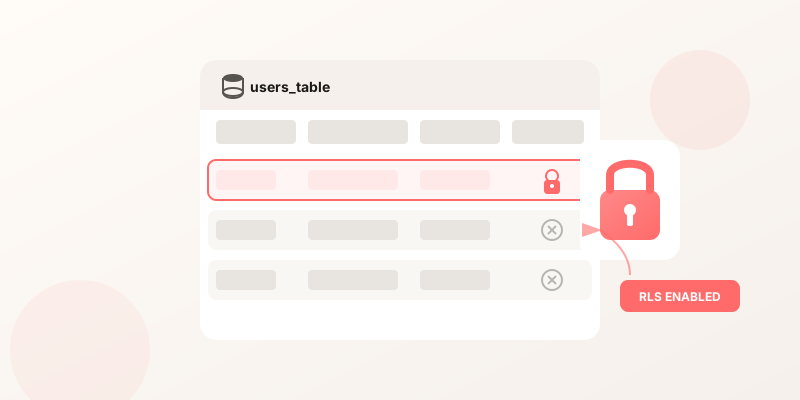
Supabase Row Level Security: The Complete Guide for Lovable Apps
Learn how to properly configure Supabase RLS to protect your user data. Step-by-step instructions with copy-paste SQL policies.
Jan 1, 2026

No-Code Security 101: A Plain English Guide
Everything non-technical founders need to know about securing their Lovable, Bolt, or Base44 app. No jargon, just actionable advice.
Dec 29, 2025
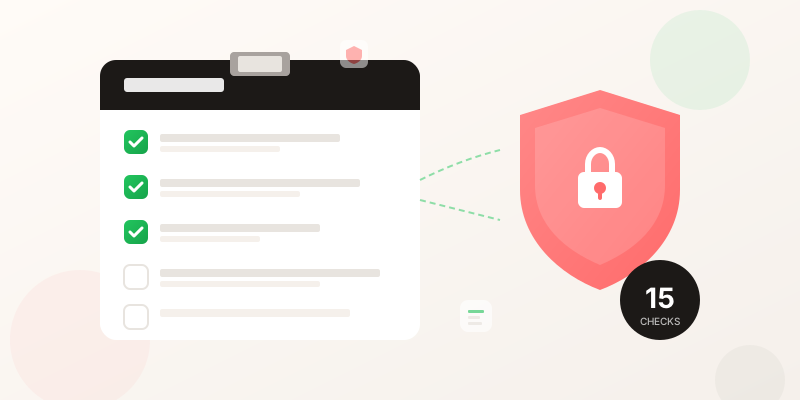
Security Checklist for Lovable Apps: 15 Things to Check Before Launch
The complete security checklist for non-technical founders building with Lovable. 15 actionable checks with AI fix prompts you can copy-paste.
Jan 4, 2026